Linux Lite 8.2 Final arrived on 31 October 2026, five months after the big Series 8 rebuild: a brand-new kernel, a gaming-tuned option, better graphics handling and fixes that make the 8.x series feel finished. On 8.0, it is a free in-place upgrade; new to Linux Lite, it is the version to download.
Linux Lite 8.2 is the latest version, and the one to download today.
What's New in Linux Lite 8.2
Version 8.2 is built on Ubuntu 26.04.1 LTS, keeps Xfce 4.20 with LightDM, and ships as a 2.4 GB ISO. The headline change is the kernel: two custom Linux 7.3 kernels, built from the kernel.org mainline tarball with CachyOS patches.
Two Linux 7.3 Kernels: Desktop and Gaming
The default kernel, linuxlite, suits everyday use — browsing, office work, media playback — with security mitigations on and dynamic preemption balancing responsiveness against throughput.
The optional linuxlite-gaming kernel targets games and latency-sensitive audio and video work, with full preemption and no security mitigations for lower input lag.
Both keep the EEVDF scheduler. In 8.2, the BORE scheduler runs only in the gaming kernel, boosting interactive tasks so the desktop stays snappy under load.
Lite Kernel Manager handles both: install, switch, benchmark, and upload scores to compare with other users. In 8.2 it has clearer text, log export, and better DKMS failure handling.
Better NVIDIA Graphics Support
Hardware support is the other big theme: updated NVIDIA kernel patches let proprietary drivers work on newer mainline kernels, and Lite Driver Manager now switches drivers more reliably and avoids recommending incompatible NVIDIA drivers for older cards.
New USB Writer, Installer and Encryption Fixes
Linux Lite 8.2 replaces Mintstick with a new GTK4-based USB Writer Formatter for writing ISOs to a USB stick and formatting drives.
Calamares gets fixes for encrypted installs — bootloader configuration, encrypted swap cleanup, and installs that wrongly reported failure. LUKS gets fixes, Lite Tweaks gains automated update configuration, and Game Center can now install the 32-bit libraries some Windows games need under Wine-GE.
The Series 8 Foundation: What 8.0 Changed
Version 8.2 only makes sense in the context of 8.0, released on 1 June 2026 as Hematite — the biggest rebuild in the project's history.
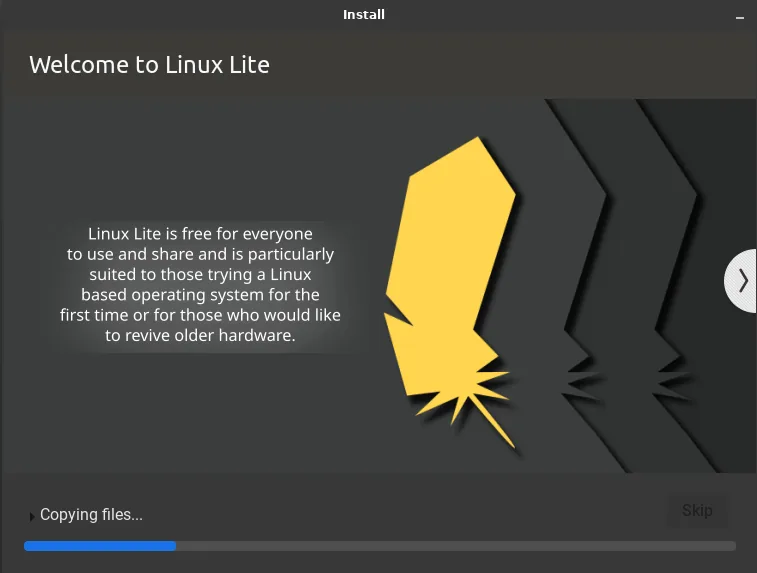
The most visible change in 8.0 was the installer: Calamares replaced Ubiquity, handling language, time zone, keyboard, disk setup and accounts, with Linux Lite branding and a slideshow in 25 languages. It adds Btrfs and XFS alongside EXT4, plus an OEM mode that installs without an account, so the buyer gets a setup wizard on first boot.
Series 8 introduced the project's own kernels — 7.0 in 8.0, now 7.3 in 8.2. Chrome was dropped and Firefox returned, hosted directly by the project. Linux Lite still ships neither Snap nor Flatpak: apps come as DEB packages, so they start fast with no duplicate runtimes. The ISO shrank from 2.77 GB in Series 7 to 2.36 GB in 8.0.
Fifteen in-house apps were rewritten for Series 8, moving from GTK3 and WebKit2 to GTK4 — including Lite Kernel Manager, Game Center, Driver Manager, Software, Distro Builder and Series Upgrade. Lite Software replaced Synaptic, Btop replaced Htop, Fastfetch replaced Neofetch, and Starship replaced Powerline. The desktop is translated into 22 languages, package sources moved to the DEB822 format, and JPEG-XL and HEIC images work out of the box.
Lite Game Center is the one-click gaming tool: one button installs Steam, Lutris, Proton, Wine, controller support and helpers, or pick components individually. MyAI is a local AI assistant on your own computer — no cloud account, no telemetry — living in the Firefox bookmarks bar. Removing it is one command plus deleting the bookmark.
Fresh installs ship Firefox 151, Thunderbird 140, LibreOffice 26.2.2, VLC 3.0.2.3 and GIMP 3.2.2, plus Thunar and Timeshift for backups.
System Requirements
Official minimums: a 1.5 GHz dual-core 64-bit CPU, 4 GB of RAM, 40 GB of disk, a 1366 x 768 display, and a DVD drive or USB port for the ISO.
Linux Lite is 64-bit only. A 2 GB machine can run it in a pinch, but 4 GB makes multitasking comfortable. Secure Boot is not supported — switch it off in firmware before installing. Enabling CSM and a GPT layout with a 512 MB FAT32 EFI partition is also recommended.
In hands-on testing of 8.0 in a virtual machine, a full install used 7.8 GB of disk and idled on 897 MB of RAM — roughly the same as Xubuntu.
How to Download Linux Lite 8.2
Download the latest 64-bit ISO, about 2.4 GB, from the official Linux Lite site — never from a random mirror link on a forum or video description.
Make sure you have room for that one file before you start.
Before using the file, check its checksum against the one published with the release. If it does not match, download the ISO again.
How to Install Linux Lite 8.2
The install takes under 20 minutes, under 10 on an SSD. Try the live session first.
Before You Start
Back up your files, then restart, enter firmware settings, and disable Secure Boot — Linux Lite does not support it. Enable CSM too if offered.
Step 1: Make a Bootable USB Stick
Write the ISO to a USB stick with Rufus (Windows), Balena Etcher (Windows, Mac or Linux), or the new USB Writer Formatter if you already run Linux Lite. A DVD works too, but USB is faster.
Step 2: Boot and Try the Live Session
Plug the stick in, boot from it, and let Linux Lite start in live mode — it runs entirely from the USB stick and changes nothing. Check Wi-Fi, sound and display work; if something fails now, better to know before installing.
Step 3: Run the Calamares Installer
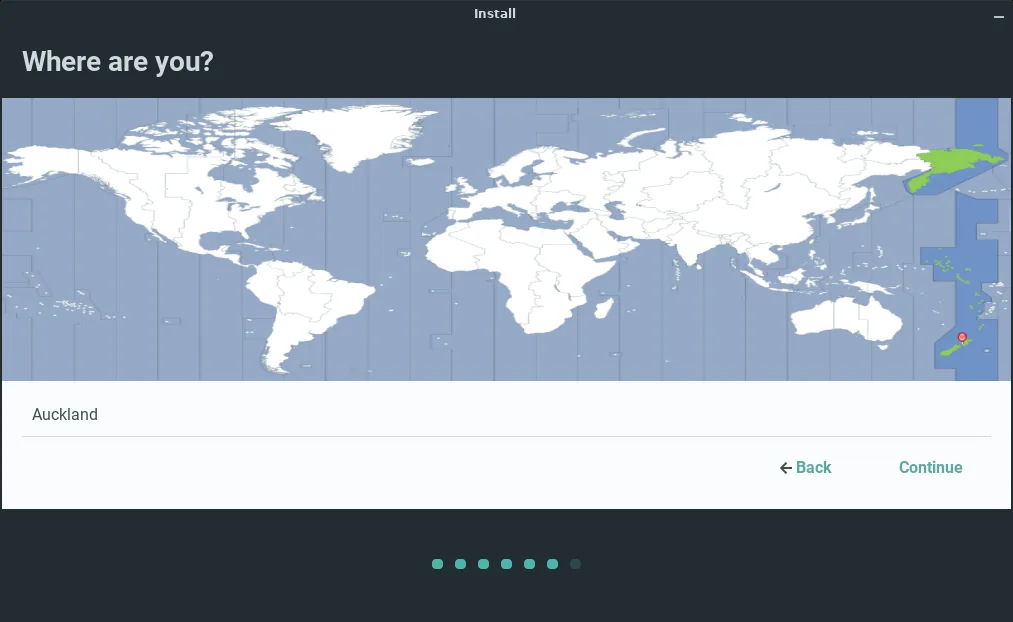
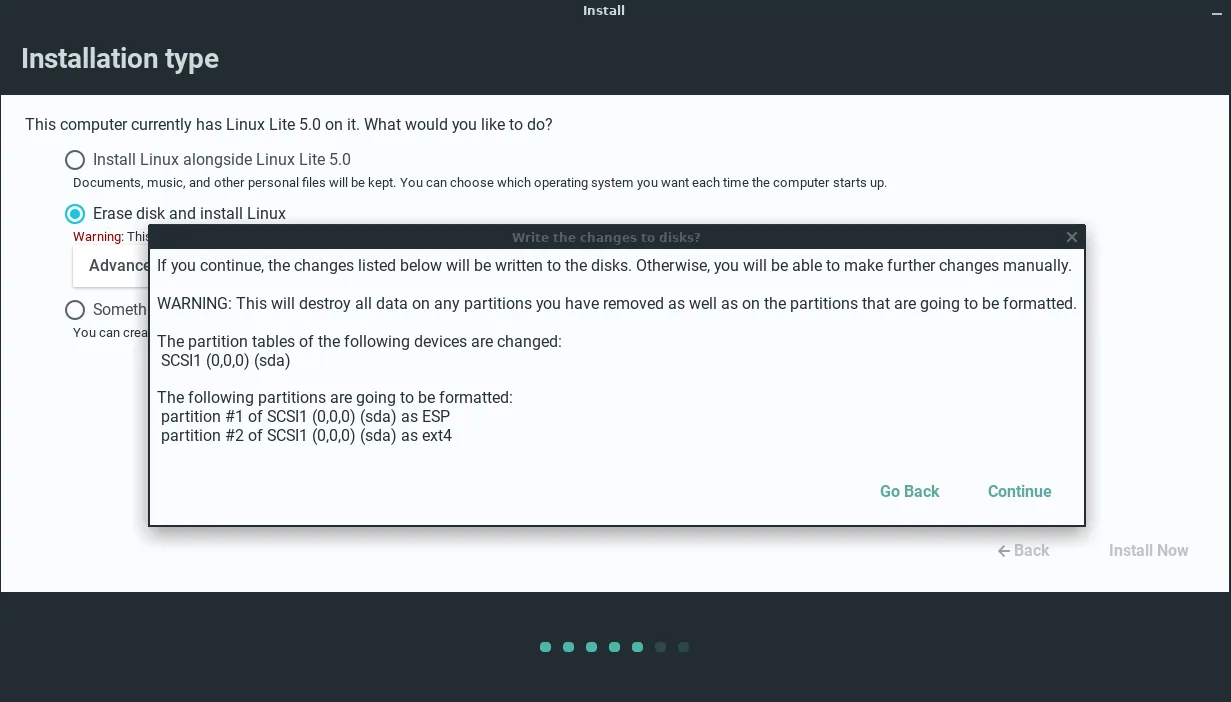
Click "Install Linux Lite" on the desktop. Calamares walks you through language, time zone and keyboard layout, then asks how to use the disk: pick "Erase disk" if Linux Lite gets the whole machine, or "Install alongside" to keep Windows. Advanced users can partition manually, including Btrfs or XFS. Then set your username, password and time zone, and choose whether to log in automatically.
Step 4: Reboot and Update
Remove the USB stick and reboot. First, run the updates: open the menu, go to Favorites, and choose Install Updates — last-minute fixes are often added after the ISO is published. In one hands-on test of 8.0, the first run found around 160 updates, and a second run after reboot found over 40 more. Then Lite Welcome walks you through the remaining first steps, including drivers. Switch the built-in firewall on; it is off by default.
How to Upgrade from Linux Lite 8.0 to 8.2
If you already run 8.0, do not reinstall — upgrade in place with Lite Upgrade (Menu, then Settings, then Lite Upgrade). First install all updates, then create a Timeshift restore point. Then run Lite Upgrade and follow the prompts.
One thing to know: the upgrade does not replace your kernel. To get Linux 7.3, switch separately in Lite Kernel Manager — desktop kernel for everyday use, gaming kernel for games or latency-sensitive audio and video work.
Upgrading from Series 7 to Series 8 is bigger and uses Lite Series Upgrade: back up with Clonezilla or Timeshift, install all updates and the upgrade tool, then launch it from the Settings menu. Allow 30 minutes to 2 hours. There is no upgrade path to or from release-candidate builds.
Who Should Get 8.2?
Linux Lite 8.2 suits anyone on an older PC or laptop that Windows 11 has left behind, and anyone trying Linux for the first time: the familiar layout, the guided Welcome app, the Lite tools and plain-language documentation make the first week easy. Gamers on old hardware get the most from this release — the gaming kernel, Game Center and 32-bit library support.
FAQs
What is new in Linux Lite 8.2?
Two custom Linux 7.3 kernels (desktop and gaming), better NVIDIA driver handling, a new GTK4 USB Writer Formatter replacing Mintstick, Calamares and LUKS fixes for encrypted installs, automated updates in Lite Tweaks, and Game Center improvements.
What is Linux Lite 8.2 based on?
Ubuntu 26.04.1 LTS (Resolute), Xfce 4.20 with LightDM, and the Series 8 codename Hematite. Ubuntu LTS gives it long-term security updates.
Can I upgrade from Linux Lite 8.0 to 8.2 without reinstalling?
Yes — use Lite Upgrade (Menu, then Settings, then Lite Upgrade). Install all updates and make a Timeshift restore point first. The upgrade does not change your kernel; switch to Linux 7.3 in Lite Kernel Manager.
Does Linux Lite 8.2 support Secure Boot?
No — disable it in firmware before installing. The project chose this deliberately, to keep the system simple with no enrolment keys or shim problems after kernel updates.
How much RAM does Linux Lite 8.2 need?
4 GB of RAM, a 1.5 GHz dual-core processor and 40 GB of storage. It runs on 2 GB in a pinch, but multitasking feels tight. In testing, a full 8.0 install idled on about 897 MB of RAM.
Conclusion
Linux Lite 8.2 does what a point release should: it keeps the Series 8 foundation — Calamares, the custom kernels, Firefox, the GTK4 Lite tools and the Game Center — and sharpens the parts that needed it. The Linux 7.3 kernels, NVIDIA fixes and installer repairs make it the most polished Series 8 yet.
On 8.0? Upgrade in place and switch kernels in Lite Kernel Manager. New here? Download the ISO from the official Linux Lite site, try the live session from a USB stick, and install in under 20 minutes.