Linux Lite looks simple at first glance, but underneath the familiar desktop is a set of deliberate choices about the base, the desktop, the applications and the tools. Those choices make it fast on old hardware and easy for beginners.
This guide explains every key feature of Linux Lite, what it does for you, and where the trade-offs are.
The Ubuntu LTS Base
Linux Lite is built on Ubuntu LTS (Long Term Support). The latest version, Linux Lite 8.2 Final, released on 31 October 2026, is built on Ubuntu 26.04.1 LTS.
That base gives Linux Lite three things. First, stability: an LTS release gets security updates for years, so the system does not change under your feet. Second, software: Ubuntu's repositories hold thousands of applications, and almost all of them install on Linux Lite. Third, help: because Linux Lite shares Ubuntu's base, almost any Ubuntu guide or answer also works here.
Linux Lite only follows Ubuntu's LTS releases. It does not chase the six-monthly interim releases. The project prefers a tested, stable base over the newest packages.
The Xfce Desktop
Linux Lite uses the Xfce desktop, and it is the single biggest reason the system feels light. Xfce has been around since 1996 and has earned its reputation for being both lightweight and highly customisable.
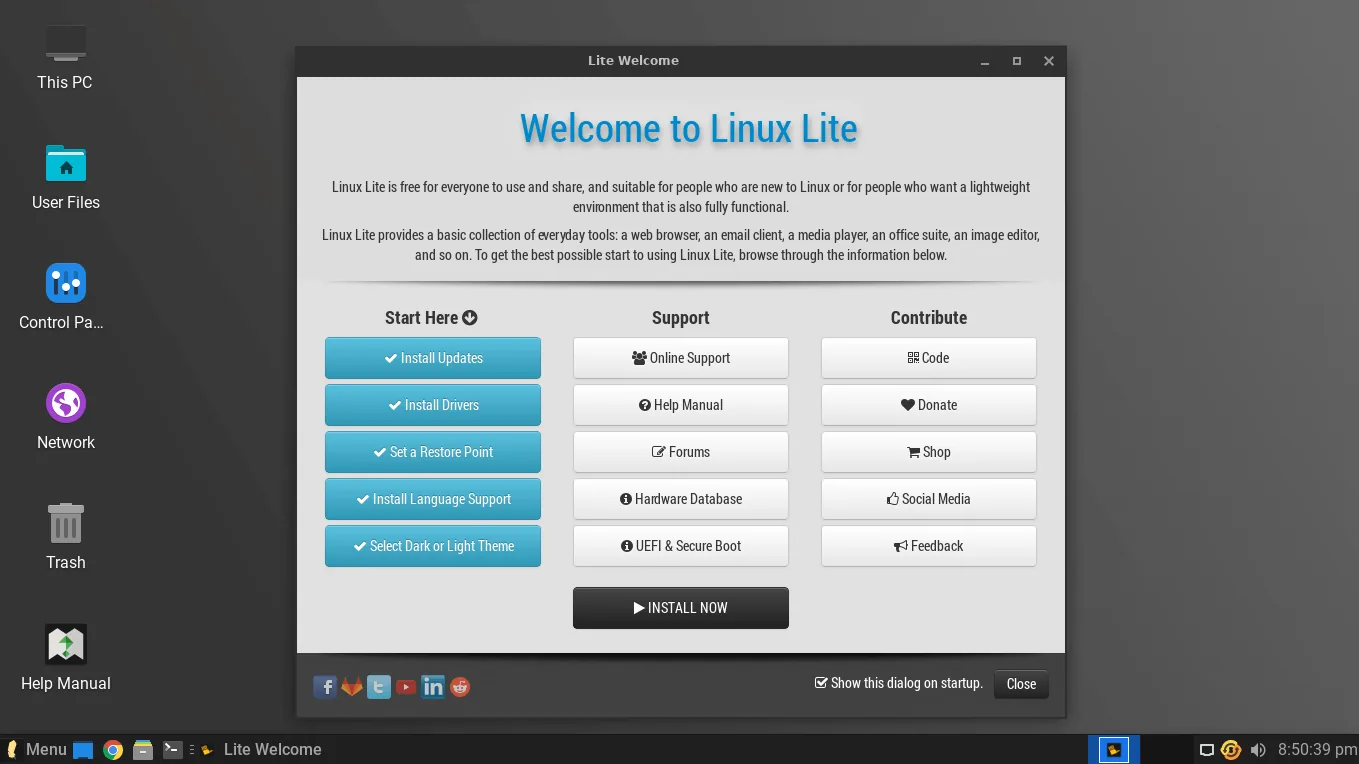
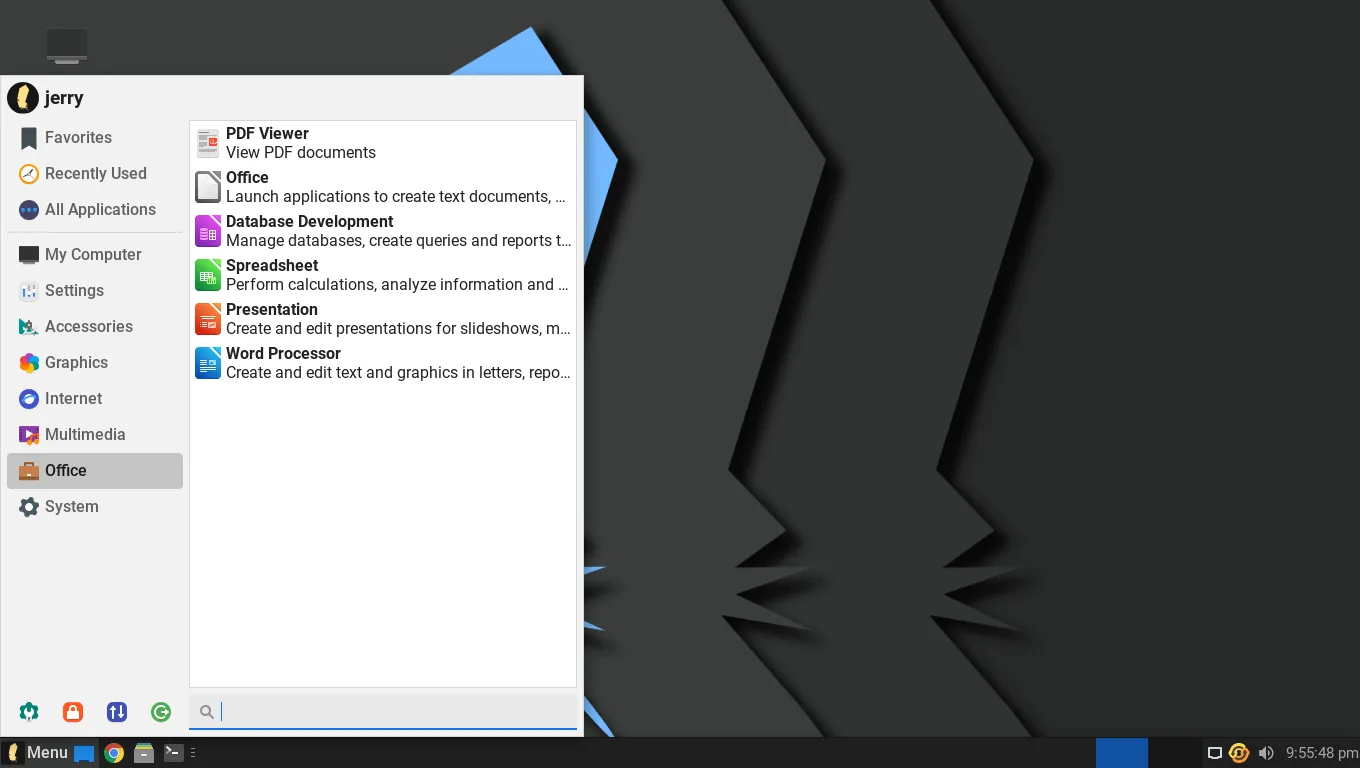
The layout stays familiar even if you have never used Linux before.
The Linux Lite team applies its own theming on top: Papirus icons, the Roboto font, and a window theme derived from Orchis. The result is a desktop that looks like a cleaner, more modern version of Windows 10. You get a taskbar at the bottom with a start menu, a system tray and a clock. Desktop icons work out of the box.
The look is deliberately plain, with nothing flashing for attention.
Why Xfce and Not Something Heavier?
A heavier desktop spends your computer's memory on animations and effects. Xfce spends it on your applications instead. On a 2014 laptop with 8 GB of RAM, Linux Lite 8.0 idles at about 650 MB of RAM — more than the very lightest desktops, but far less than a full desktop like GNOME or KDE.
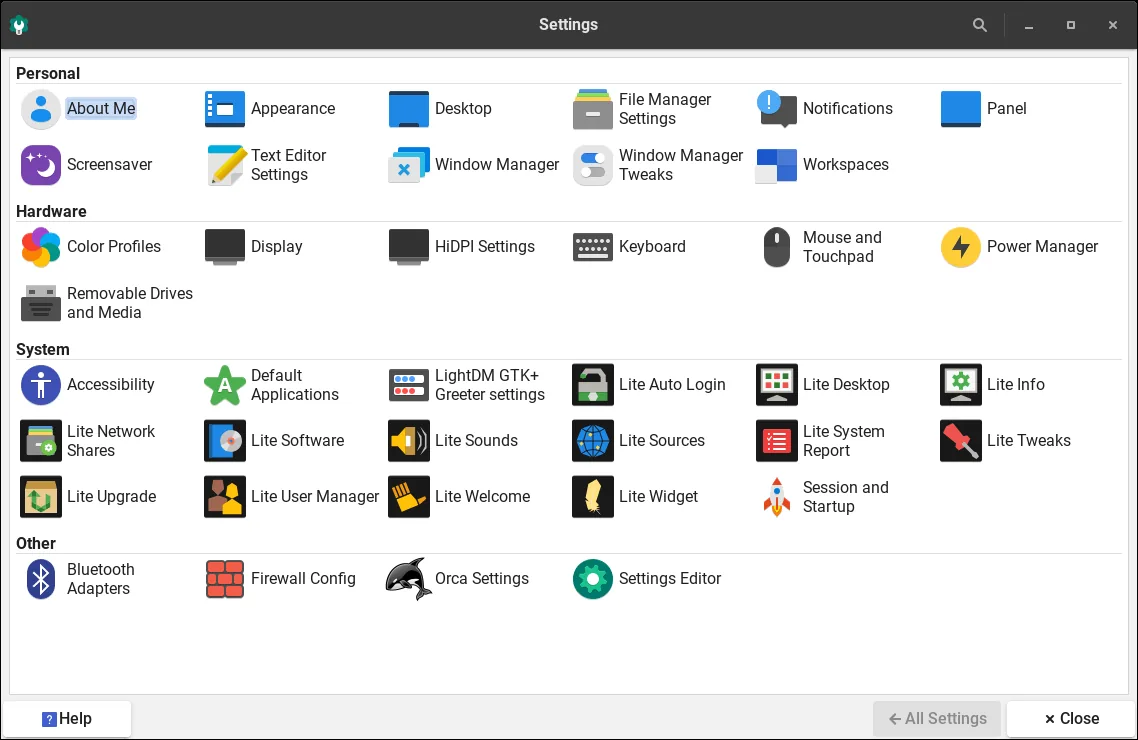
Xfce is also easy to make your own. You can move panels, add widgets, change window behaviour and set keyboard shortcuts without editing configuration files. The desktop stays light while doing all of this, so it looks familiar and polished without slowing the machine down.
Compared with Lubuntu's LXQt desktop, Xfce uses roughly 50–80 MB more RAM at idle, but gives you deeper customisation. On a machine with 4 GB of RAM or more, that difference is negligible.
A Complete Set of Applications
Linux Lite ships with everything most people need, already installed. You do not have to hunt for a web browser or an office suite — they are there from the first boot.
The Linux Lite file manager is Thunar, and it handles folders, USB sticks and network shares without extra setup.
- Firefox for the web — the default browser since Series 8.
- Thunderbird for email.
- LibreOffice for documents, spreadsheets and presentations.
- VLC for music and video.
- GIMP for image editing.
- Thunar for managing files.
- Timeshift for system backups.
Thousands more applications are available from the Ubuntu repositories through Lite Software, the project's own app store. Linux Lite ships DEB packages first and deliberately leaves out Snap and Flatpak, so applications start fast and do not carry duplicate runtimes.
That DEB-first choice is a feature in itself. Snap versions of Firefox and other apps start slower and use more disk space. Linux Lite installs the regular DEB versions, so the browser opens quickly and behaves the way you expect.
The Lite Tools
The Lite tools are what set Linux Lite apart from other lightweight distributions. They are small, single-purpose applications that do common jobs with one click — no terminal needed.
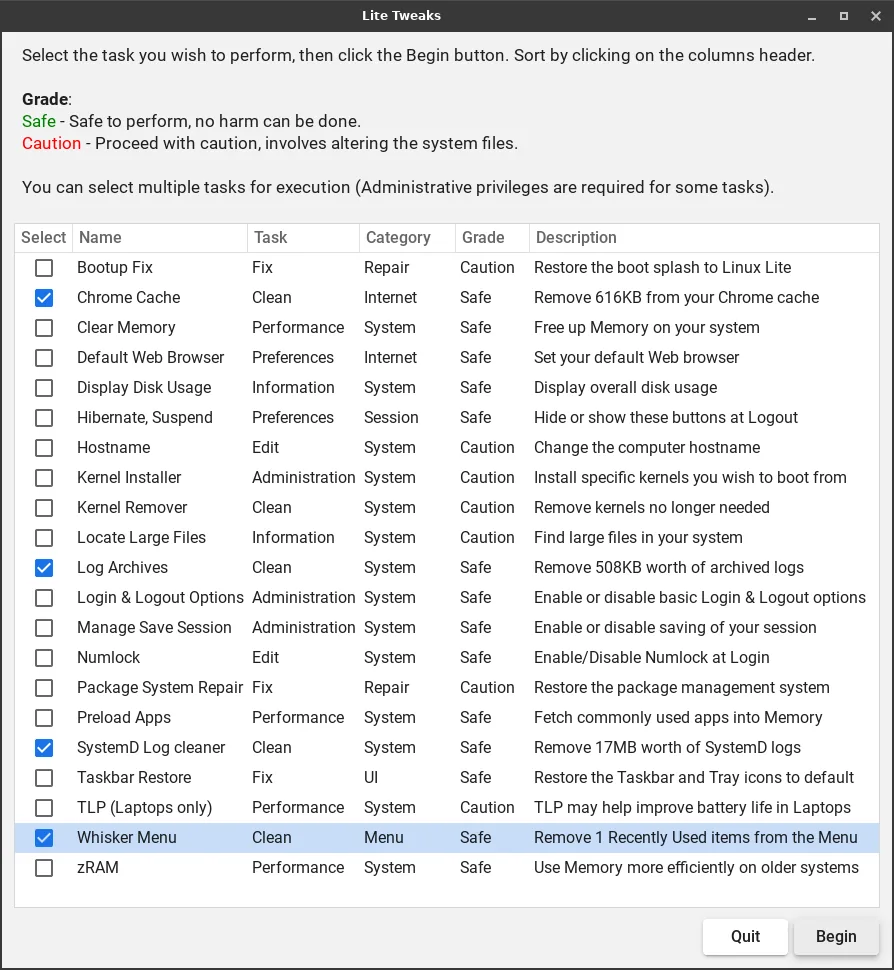
Lite Welcome walks you through the first steps after installation. Lite Software installs and removes applications from a friendly app store. Lite Updates keeps the system patched. Lite Tweaks cleans caches and frees disk space. Lite Driver Manager finds the right graphics driver. Lite Kernel Manager switches kernels and benchmarks your system. Lite Game Center installs Steam, Lutris, Proton and Wine in one click. Lite Share Folder shares any folder on your network with a right-click.
No other lightweight distribution ships a toolkit like this. It is the main reason beginners finish setting up Linux Lite in an hour instead of a weekend. Each tool is covered in depth in the Linux Lite Tools guide.
Performance: Light, But Not Bare
Linux Lite is light, but it is a complete desktop, not a bare one. In independent testing on a 2014 laptop (Intel i5, 8 GB RAM, SSD), Linux Lite 8.0 used about 650 MB of RAM at idle, booted in about 18 seconds, used 1–2% of the CPU at idle, and took about 12 GB of disk space after installation.
Older versions idled lower — around 400–600 MB — because they shipped fewer applications. The current version trades a little idle memory for a much fuller desktop, and its BORE scheduler keeps the system feeling snappy while you are actually using it, even if the idle numbers are higher than the lightest rivals.
The BORE scheduler (Burst-Oriented Response Enhancer) tracks how long tasks run in short bursts and boosts priority for interactive work like window repainting, video playback and game frames. That is why Linux Lite feels responsive during active use despite using more memory at rest than Lubuntu.
Security Built In
Linux Lite gets regular security updates from Ubuntu LTS, and Lite Updates makes installing them a one-click job. The system also includes a built-in firewall — but it is off by default, and you must switch it on yourself. That takes a minute, and it is the one security step Linux Lite leaves to you.
Encryption is available during installation if you want it. Version 8.2 fixed several installer problems with encrypted installations, including bootloader configuration and encrypted swap cleanup.
Because Linux Lite is open source, its code can be inspected by anyone. There is no telemetry phoning home, no advertising ID, and no account tracking you. MyAI, the built-in AI assistant, runs entirely on your own computer with no cloud connection at all.
Gaming and AI: New in Series 8
Series 8 added two features that would have been unthinkable in Linux Lite three years ago. The Lite Game Center installs Steam, Lutris, Proton and Wine in one click, and version 8.2 added an optional gaming kernel, tuned for low latency, alongside the desktop kernel.
MyAI is a private, local AI assistant that runs entirely on your own computer — no cloud account, no telemetry — and it can be removed completely if you do not want it. It suggests a model based on your hardware and runs through a local Ollama instance in a browser tab.
Both features are covered in depth in the MyAI and Gaming guide.
Made for Old Hardware — and for New Users
Every feature in Linux Lite serves the same two people: the owner of an old computer, and the person who has never used Linux. The desktop looks familiar. The tools do one job each. The documentation is written in plain language.
It boots fast, runs well on older CPUs and limited RAM, and supports multiple monitors and high-resolution displays. You can try it from a live USB before installing, and if you already run Linux Lite 7.x, you can upgrade in place to Series 8 without reinstalling.
That combination — a light desktop, a complete application set, and tools that remove friction — is the whole idea. Linux Lite is not trying to be the most powerful Linux distribution. It is trying to be the easiest one to live with on the computer you already own.
FAQs
What is the best feature of Linux Lite?
The Lite tools. No other lightweight distribution gives beginners a guided Welcome app, a friendly software store, one-click updates, tweaks, driver installation and kernel switching without the terminal.
Is Linux Lite lighter than Lubuntu?
No — Lubuntu idles lighter, at around 480 MB of RAM against Linux Lite's roughly 650 MB. Linux Lite trades that extra memory for a fuller desktop, more pre-installed applications, and the Lite tools.
Does Linux Lite come with Microsoft Office?
No, it comes with LibreOffice, which opens and saves Microsoft Office files (Word, Excel and PowerPoint formats). For most home and school work, that is enough.
Can I run Windows programs on Linux Lite?
Some, through Wine — and the Lite Game Center installs Wine, Steam, Lutris and Proton in one click for games. Ordinary Windows applications will not run directly; look for a Linux version first.
Is Linux Lite really free?
Yes. It is free and open source, free to download, free to use, and free to share. There are no accounts, no subscriptions and no paid version.
Does Linux Lite spy on its users?
No. There is no telemetry, no advertising ID and no account tracking. MyAI runs entirely on your own computer with no cloud connection.
Conclusion
Linux Lite's features add up to one thing: a computer that works. The Ubuntu LTS base gives it stability and software. Xfce gives it speed and a familiar face. The applications give it everything you need on day one. And the Lite tools give a beginner the confidence to keep it running.
It is not the lightest distribution, and it is not the most powerful. It is the one that asks the least of you while giving you a complete desktop — and on an old PC, that is exactly the right trade.